You're now ready to finish up your letter. You just have a few more simple steps to complete.
1. After your last paragraph, press the key three times to advance the cursor. Conclude your letter with closing text. "Sincerely," "Thank you," or "Best wishes," followed by a comma are customary endings for a business letter.
2. Press the key four times to advance the cursor and leave room for your handwritten signature. Type your name, title and company name over the next few lines. Use at the end of each line.
3. From the Tools menu choose Spelling and Grammar to spell check your letter. Follow the system prompts to fix any spelling and/or grammar errors.
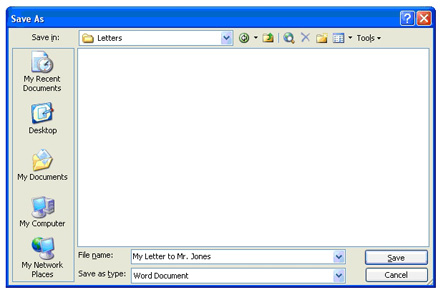
4. Save your document for future reference. From the File menu choose Save and type a descriptive name for your document, such as My Letter to Mr.
Jones.
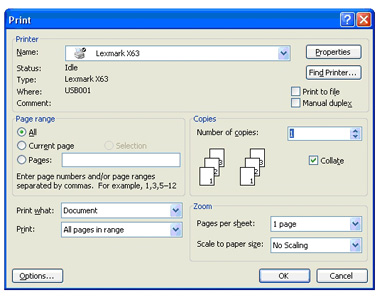
5. Use the File, Print command to print your letter. Once printed, proof read
the letter for any errors. If there are errors, fix the errors and reprint your
letter.
6. If there are no errors, sign your letter, address a matching envelope, place a stamp on it, and mail your letter.
View completed letter